

Pre-Registration Preparation
Before starting registration, ensure you have the following information ready:
Valid email address: Capable of receiving verification codes. We recommend using a primary email account (e.g., Gmail, Outlook) and avoid disposable email services.
Mobile phone number: We can contact you via a valid mobile number.
Company information: Including company name, legal representative name, and other relevant corporate details.
Step-by-Step Registration Process
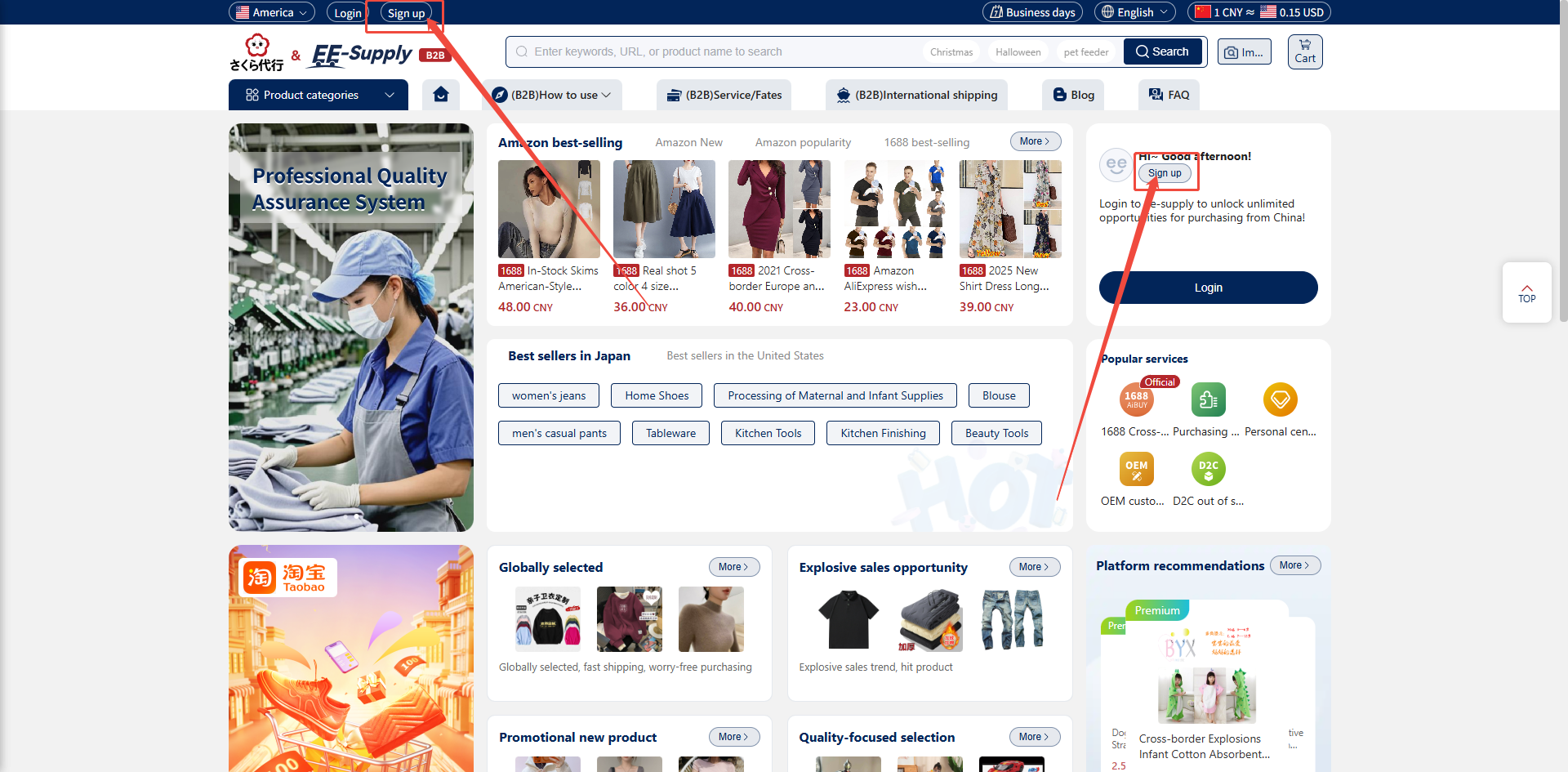
1、 Open your browser and enter the official ee-supply website: https://test-b2b.ee-supply.com/.
2、 On the ee-supply homepage, click the "Register" button in the top-left corner to access the registration page.
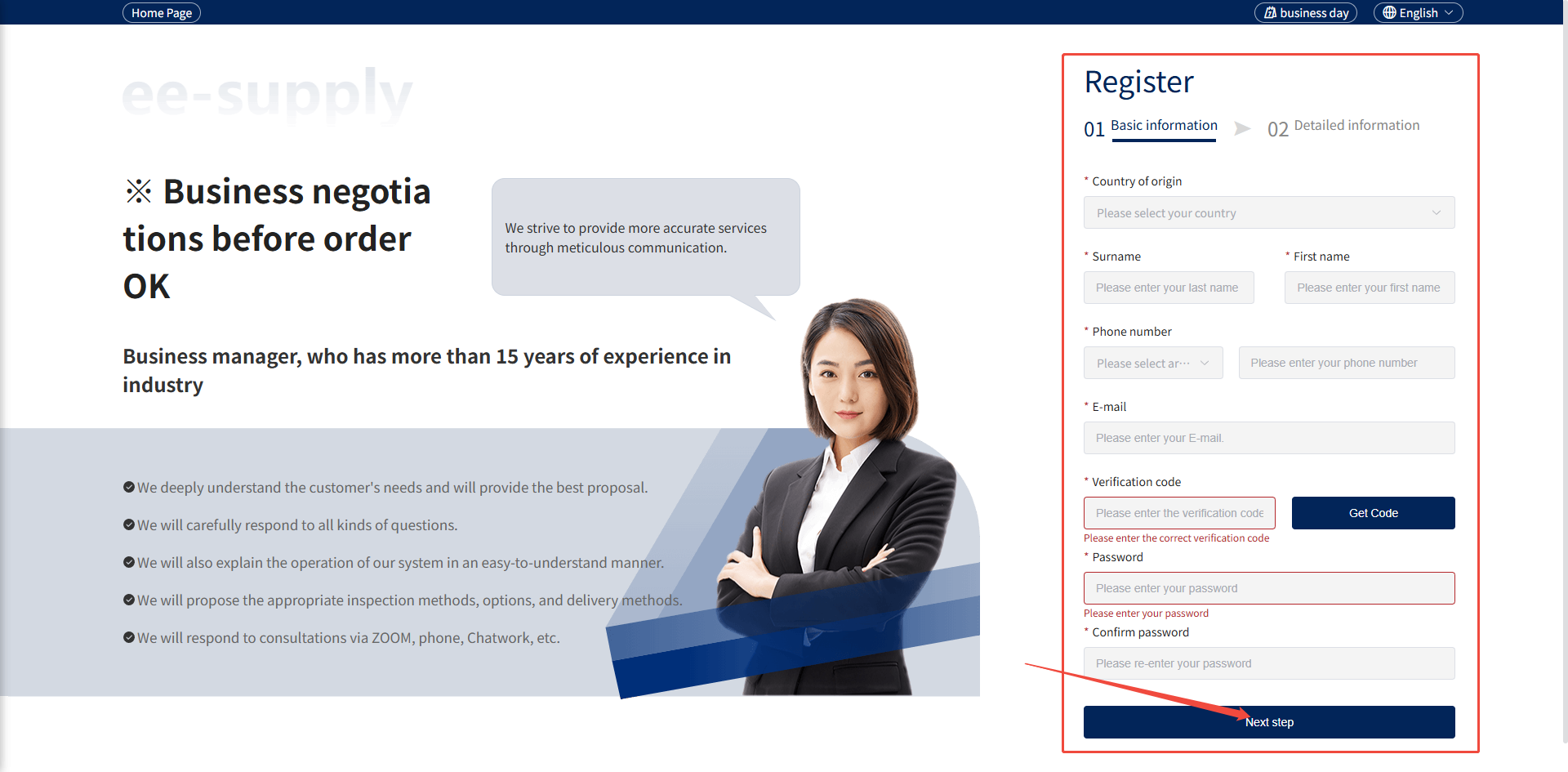
3、 Fill in valid information, enter your email address, click "Get Verification Code," and input the code you receive. Set your password.
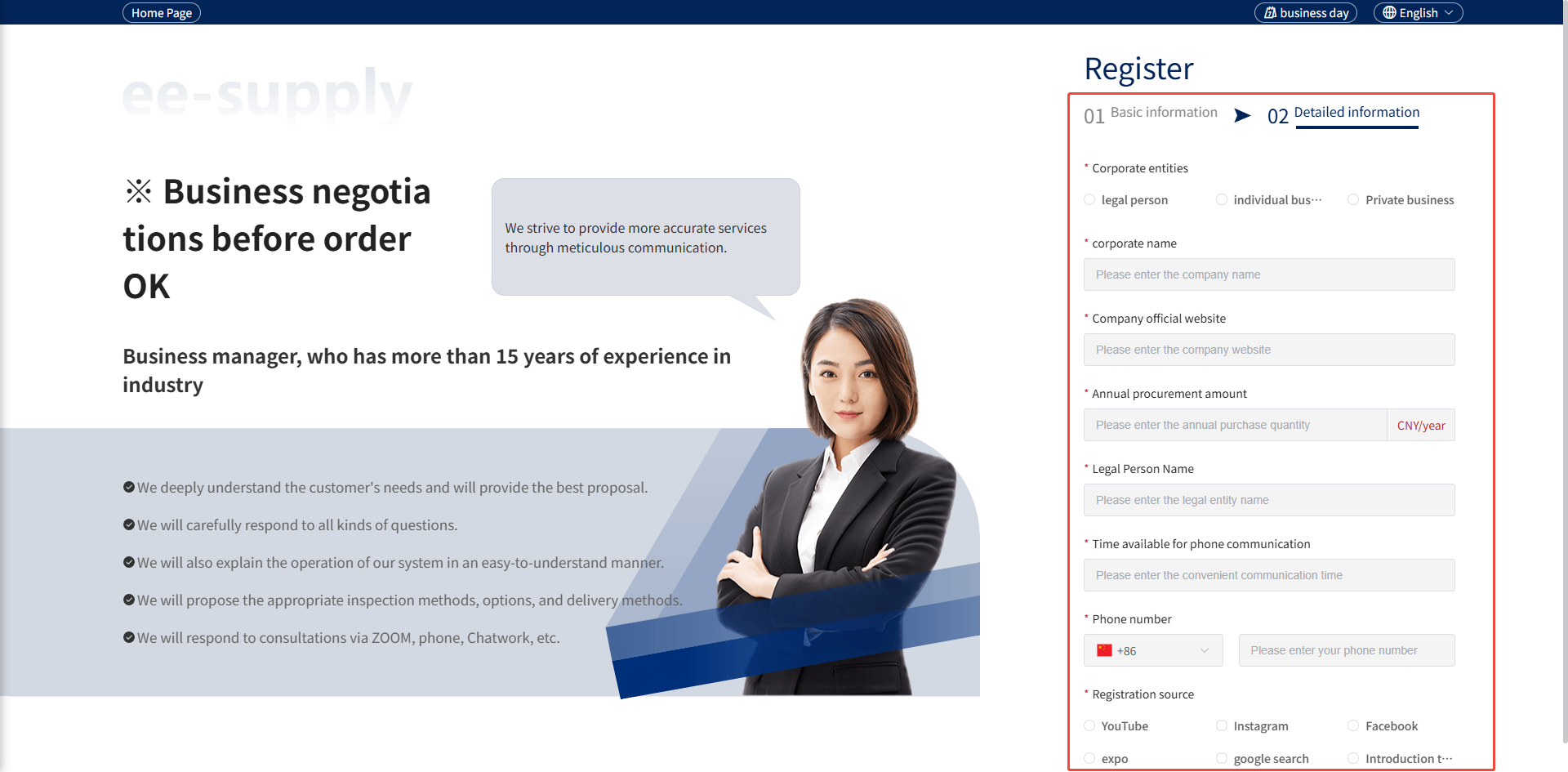
4、 Click the "Next" button and fill in the required fields. If no applicable information exists, enter "None" in the input box.
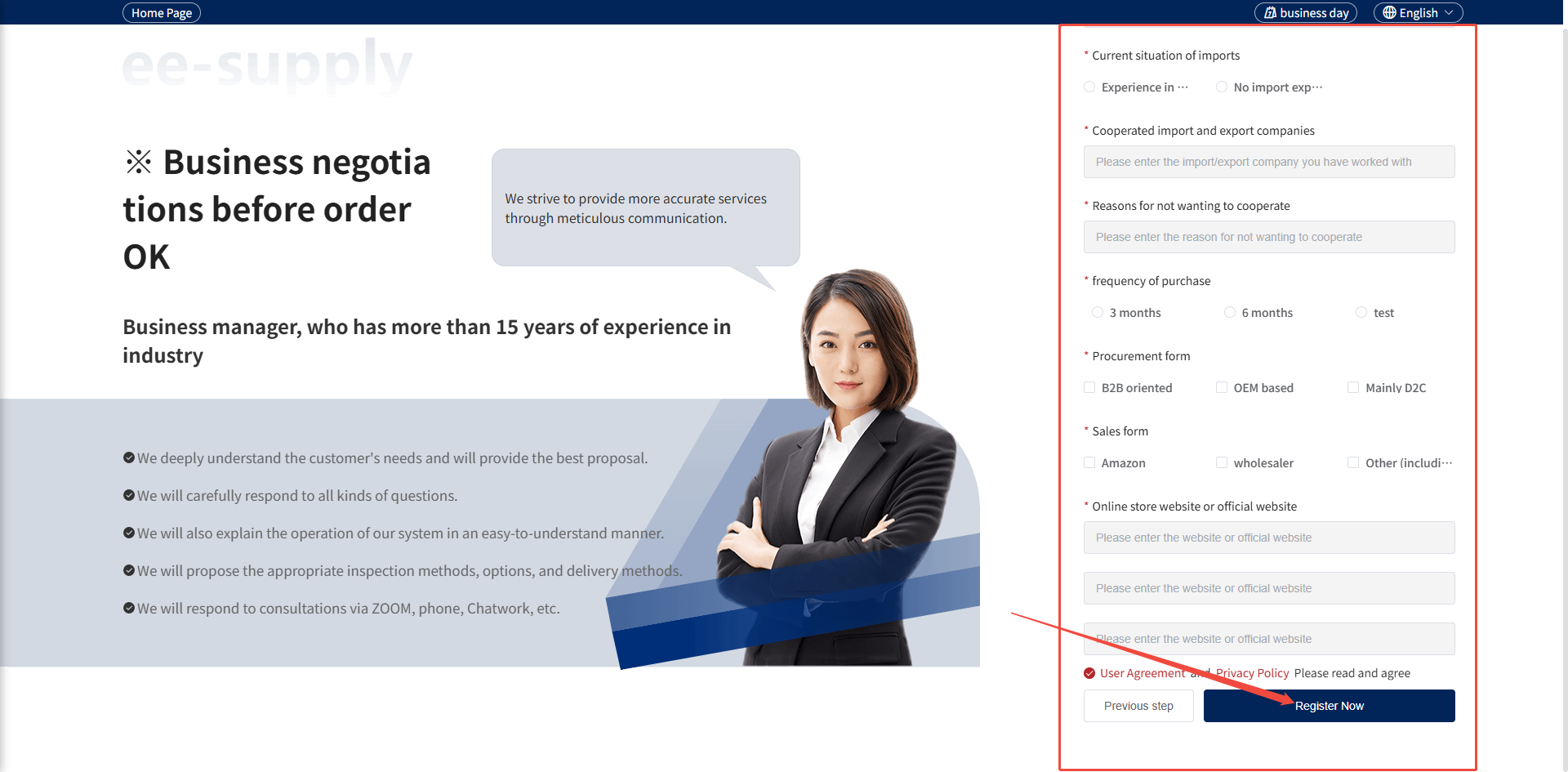
5、 After completing the above information and agreeing to the [Terms of Use] and [Privacy Policy], click "Submit."